
Other products mentioned in this guide
The Veise RZ06 is worth considering when you want app-managed access without an ongoing app bill, and can decide separately whether remote access is necessary. Its basic connection is Bluetooth. Buying the lock alone does not give it a direct connection to your home Wi-Fi.
This distinction matters more than its list of unlock methods. A household that manages access while standing near the door has different requirements from someone who needs to admit a visitor while away. The RZ06 can be part of either setup, but the equipment list changes.
What the subscription-free route includes
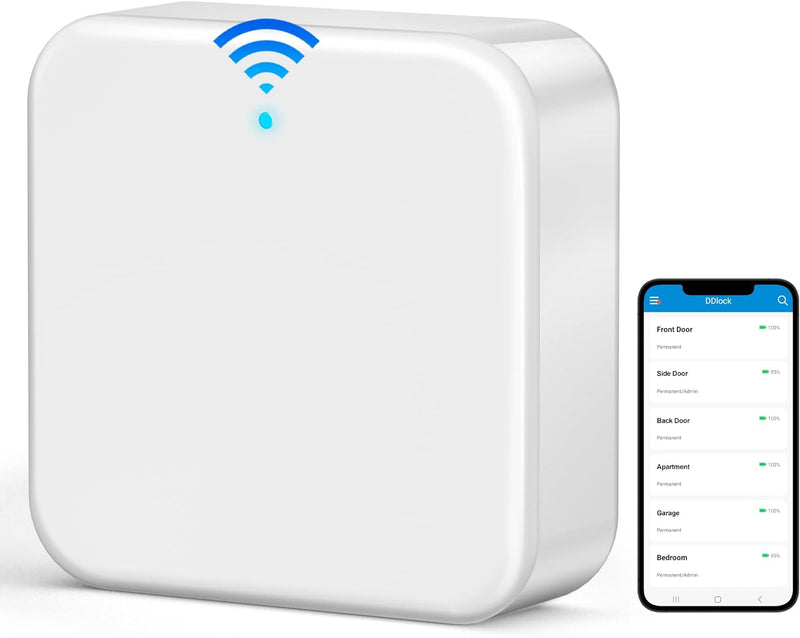
Veise identifies the RZ06's DDLock app and web portal as free. The lock supports local access methods and app-managed credentials. Remote access, real-time notifications and voice integration require the separately sold G2 gateway. These boundaries come from the RZ06 product documentation.
Treat the gateway as a configuration choice, rather than an optional extra that never affects functionality. If remote access is one of your reasons for buying, it belongs in the initial purchase calculation. If local entry and nearby management cover your needs, paying for a gateway before establishing a remote use case adds equipment without solving a necessary problem.
Where the G2 belongs in the plan
The G2 documentation specifies 2.4 GHz Wi-Fi and compatibility with DDLock or TTLock locks. Veise advises keeping the gateway within 32 feet of the lock. This is a stated placement guideline, not a range result measured in our home.
Before choosing this configuration, decide where the gateway will receive power and whether that location offers a sensible path to both the lock and the router. Do not assume that a socket at the far end of the house will work because Wi-Fi reaches it. The gateway also has to communicate with the lock.
An internet interruption is a separate condition from a loss of gateway power. Veise says local access remains available without Wi-Fi. That does not establish that off-site control, live app updates or every notification will continue during an outage.
Fit the decision to the household
The RZ06 makes most sense for a buyer who accepts a Bluetooth lock and understands the extra equipment needed for remote functions. It can also suit someone who wants to start with local management and evaluate a gateway later. A buyer who wants a single device with built-in Wi-Fi should compare that architecture before deciding on price.
For guest access, write down what you actually need: creating credentials nearby, changing them while away, seeing an entry promptly, or managing several doors. A free app label is too broad to answer all four. Verify the particular workflow, especially if it is essential to your household rather than a convenience.
Count the whole purchase
Budget for the exact lock package, batteries, and a gateway if your required functions depend on it. Confirm whether the retailer's package includes the gateway; do not infer inclusion from photographs of a complete system. Veise's door-fit specifications should be compared with your existing door and hardware before purchase.
Keep the mechanical backup usable and accessible to an appropriate household member. A smart feature list does not replace a practical plan for a flat battery or lost phone. We have not tested fingerprint performance, resistance to attack, app reliability or real battery life on this model, and those outcomes are not established by this documentation review.
The purchasing decision is therefore conditional but straightforward: choose the RZ06 for its local-management route, or price the RZ06 and G2 together when remote management is required. Compare that complete configuration with an integrated Wi-Fi lock, rather than comparing the RZ06's bare-lock price with another product's full remote-access setup.
Check the exact listing
These affiliate links may earn us a commission. Confirm the model, package, current price, stock and compatibility on the retailer page. A listed product is not a promise that every feature or accessory is included.

Veise · Amazon US
Veise RZ06 Smart Lock — Matte Black listing
Selected listing: B0BL7BN1FK
View this model on AmazonSources and method
Based on the manufacturer documentation linked below. Features, app requirements and optional services can change. Check the exact model and package before purchase.