
Other products mentioned in this guide
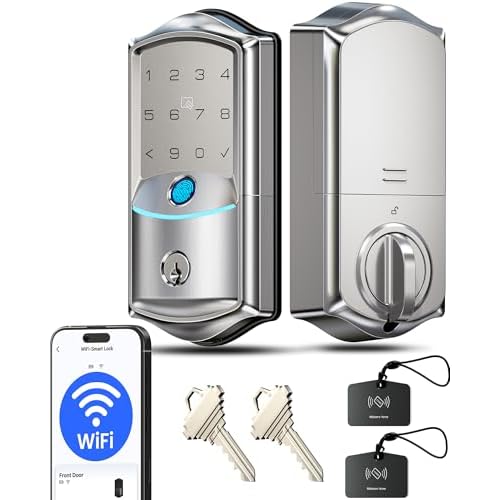
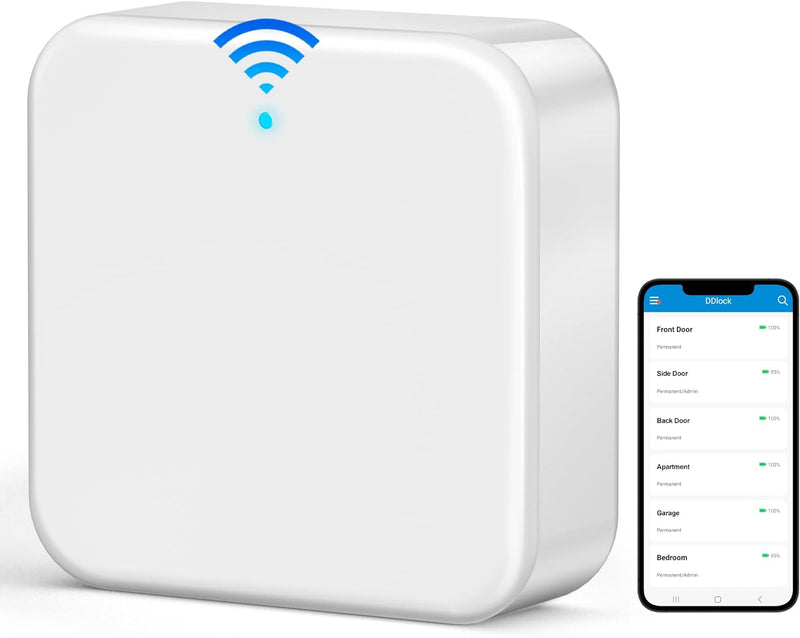
Temporary smart-lock access is a household workflow, not just a code-count specification. A useful plan identifies who may enter, during which period, how the credential reaches the lock and how access will be ended. Managing that plan while away adds a different set of connection requirements.
This guide uses Veise RZ06 and VE027 as documented examples. It does not certify their attack resistance, app reliability or suitability for a regulated access-control system. Our goal is to make the ordinary guest workflow explicit before purchase.
Choose the permission you actually intend
Write down whether the guest needs one entry, a fixed visit window or recurring access. Avoid handing out a household's permanent credential when a documented limited option answers the task. This is a permission-management recommendation, not proof that every configuration prevents unauthorized entry.
The official RZ06 page lists several credential types and app-managed access. The VE027 page likewise lists permanent, scheduled, one-time and recurring codes. The exact creation, activation and revocation procedure still matters more than the maximum number of entries advertised.
For an important visit, verify the intended credential at the door before depending on it. Confirm the time window and how the lock handles your configured schedule. We have not tested expiry timing, time-zone changes or the behavior of every firmware version. Do not substitute a successful app screen for a successful local validation.
Distinguish issuing a code from changing the lock remotely
RZ06 is a Bluetooth architecture. Its G2 gateway documentation describes the separate gateway used for remote control. If you need to manage the door from another location, include the supported gateway and its placement in the purchase plan.
VE027 instead documents built-in Wi-Fi and remote app management without a separate gateway. That reduces one equipment item but still leaves a working network and service connection as part of the remote workflow. It does not establish that an off-site command will work during every interruption.
Some credential workflows can differ in how they are generated and transmitted. This research does not prove that every RZ06 code type requires the same connection at the same moment. Check the exact documented operation you need, especially remote revocation, rather than labeling all credential actions online or offline together.
Give guests a clear arrival plan
Explain the allowed period, the intended entry method and whom to contact if it fails. Avoid including sensitive household credentials in an unnecessarily broad message or shared note. We have not sent credentials, issued codes or changed a real lock during this research.
Also decide which person will respond if the guest arrives before the configured window or the phone connection is unavailable. A remote-unlock feature can be convenient without being the only workable arrival plan. Keep any appropriate mechanical backup under deliberate household control.
Close the visit deliberately
After the visit, review the credential according to the manufacturer's instructions. Confirm whether it expired, was removed or remains active for a future period. A remembered intention to revoke access is different from confirmation that the change reached the relevant system.
Review access logs as supplementary information, with their synchronization limits in mind. We have not established complete event history during outages or instantaneous updates in every configuration. A missing or delayed app record should not be converted into a definitive account of who entered.
Shortlist the architecture that supports your actual management location and backup routine. Exact packages and app-fee evidence need their own current confirmation. This guide provides a practical credential checklist without promising security outcomes or treating a free app label as proof that remote management is independent of connectivity.
Check the exact listing
These affiliate links may earn us a commission. Confirm the model, package, current price, stock and compatibility on the retailer page. A listed product is not a promise that every feature or accessory is included.

Veise · Amazon US
Veise RZ06 Smart Lock — Matte Black listing
Selected listing: B0BL7BN1FK
View this model on AmazonSources and method
Based on the manufacturer documentation linked below. Features, app requirements and optional services can change. Check the exact model and package before purchase.