
The Wireless Mini Switch T1 is worth considering if a household needs a physical way to start a lighting scene without opening a phone app. Its buying case is strongest when the hub and controllable lights are already identified. This is research from Aqara documentation, not a hands-on account of response speed or reliability.
A button sends an event
Aqara identifies the T1 as model WB-R02D, using Zigbee 3.0 and a CR2032 battery. The manual requires an Aqara hub and describes different press actions. Our candidate ASIN B0CTQLH6L6 still needs an exact regional model match before it becomes an approved purchase recommendation. Official T1 specifications, T1 manual
Think of it as an input to a rule. It does not sit in a lamp's mains power path and does not turn an ordinary unconnected bulb into a smart bulb by itself. A useful setup needs a supported destination device or scene as well as the button. That distinction prevents a common mismatch between the desired physical control and what is actually purchased.
Choose one obvious first action
Our recommendation is to begin with one action another household member can understand immediately. Turning the reading light on or starting an evening scene can be easier to remember than assigning several unrelated commands to different gestures.
Write a short action list before buying. For each gesture, name the intended result and how a person would recover if they pressed the wrong one. A shortcut that turns several devices off may need more thought than a shortcut that changes one lamp. The goal is an understandable household interface, rather than using every available press type simply because it exists.
Map the complete scene
Draw the intended route from button to Aqara hub, then to the rule engine and the light control. If another platform manages the final scene, verify that it receives the required event from the selected hub. Do not assume all gestures are exposed in every ecosystem.
Aqara's FAQ makes hub and function compatibility relevant to the setup. Confirm the exact hub model and current software, and distinguish manufacturer-app scenes from scenes in a third-party platform. Wireless Mini Switch T1 FAQ
For an existing home, this inventory may be a short check rather than a new hardware purchase. For a home with no compatible hub or target light, the button is only one component of a larger project. Compare that complete project with a simpler control option before deciding that a small button is automatically the least expensive approach.
Place the control where its meaning is clear
Consider where the intended user will reach for a light control: beside the bed, near a favorite chair, or at the room entrance. Make the button's job obvious from its location and a plain label. A scene button hidden in a drawer is unlikely to solve the daily inconvenience that justified it.
Evaluate a proposed position before choosing a permanent attachment. Walls, furniture and other objects may affect whether the wireless path works in that home. We have no tested range for this unit and therefore do not promise dependable operation through a particular number of rooms.
Budget for ownership and ordinary use
The battery is a consumable, so include eventual replacement and a periodic device-health check in the plan. Keep the ordinary lamp control available where practical. A convenient shortcut should help the household without leaving a visitor unable to turn a light on.
There is no basis here for claiming that every possible linked scene is free of recurring fees. The relevant question is whether the specific hub, scene service and destination device perform your chosen action without a required ongoing plan. Optional third-party features must be checked separately.
We would shortlist the T1 for an existing, documented Aqara-compatible lighting system whose daily problem is awkward access to a phone. We would postpone it when the buyer has not yet selected a controllable light or expects the button to replace a wired relay. Matching the action to the complete system is more valuable than adding another smart-home device without a clear role.
Check the exact listing
These affiliate links may earn us a commission. Confirm the model, package, current price, stock and compatibility on the retailer page. A listed product is not a promise that every feature or accessory is included.
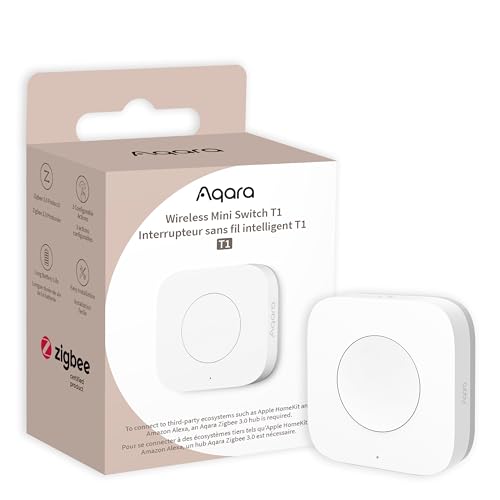
Aqara · Amazon US
Aqara Wireless Mini Switch T1
Selected listing: B0CTQLH6L6
View this model on AmazonSources and method
Based on the manufacturer documentation linked below. Features, app requirements and optional services can change. Check the exact model and package before purchase.