
Other products mentioned in this guide

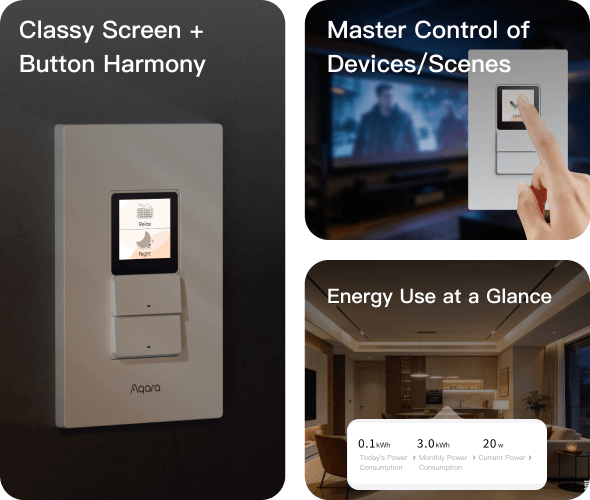
The S100 US deserves consideration when you want a wall control to manage both wired lighting and selected smart-home actions. It is a more involved purchase than a portable scene button, because the electrical installation and the household platform must both fit. This article examines official information; it does not report installation, touch response or circuit testing.
Confirm the exact US version
Aqara distinguishes the ordinary Touchscreen Switch S100 US from a Presence version. Our candidate ASIN B0FMR9KBZX has not yet been matched to the exact hardware. There is also an unresolved difference between the model reference on the product page and the compliance table. Similar-looking versions should not inherit each other's features automatically. S100 US product information, Aqara certification records
Before deciding, obtain the exact installation document for the offered unit. Have a qualified installer check the existing circuit arrangement, available wiring, box fit and permitted loads against that document. This guide does not supply a wiring sequence or instructions for working on an energized circuit.
Separate the wired job from the screen job
The manufacturer's page describes two physical controls for wired lights alongside configurable screen actions. Those functions answer different household needs. An ordinary light circuit needs dependable everyday switching, while a screen shortcut may start a scene involving other devices.
Our advice is to write two lists: which physical circuits need control at this location, and which wireless actions would be useful there. If the second list is long but the first list does not fit the existing wiring, an attractive screen is not enough to make the purchase suitable. Conversely, do not add a complex scene interface if straightforward circuit control is all the household requires.
Matter, Wi-Fi and Thread have specific roles
The S100 US documentation identifies Matter over Wi-Fi. It also limits its Thread Border Router functionality to Aqara Home and Samsung SmartThings. Supported shortcuts and power monitoring vary by Matter platform. Those qualifications matter more than counting the protocol logos on the page. Aqara's connectivity and platform footnotes
Do not assume it replaces every existing hub. In particular, the ability to control compatible Aqara Zigbee scenes does not prove that this switch itself pairs directly with a P1 sensor as a Zigbee hub. Identify which existing device handles the sensor connection and which platform runs the scene.
For a mixed-brand home, make a small compatibility table listing the intended shortcut, target device, platform and required infrastructure. A general compatibility statement should be followed by a check of the particular model and action. The screen is valuable only if the functions you will actually use appear where you expect them.
Design a screen someone else can use
Begin with a small number of plainly named actions that belong at the wall location. A visitor should be able to understand the everyday light controls without knowing how the home was configured. Put less frequently used actions behind deliberate choices rather than making every button a complicated shortcut.
We would favor labels describing an outcome, such as an evening scene, over labels that only name a protocol or room group. Decide who can change the layout and how the household will recover if an automation is removed. These are interface-planning recommendations, not observations of this model's software behavior.
Compare the full ownership commitment
Account for installation work, compatible platform hardware and any new destination devices. If you already own some of the infrastructure, count only the additions the project requires. If you have none, compare the complete system with a simpler scene-button or lamp-control approach.
We did not find a complete fee statement covering every S100-related app and integration feature. Buyers seeking no required subscription should confirm the intended switching and scene functions individually, including any external service in the route.
Our conditional recommendation is to consider the S100 US when the exact hardware fits the circuits and the documented platform features solve a daily control problem. We would delay it when the variant, installation document or desired shortcut support remains uncertain. A wall control is a long-term interface choice; it deserves a clearer fit than a product name and a promising set of logos.
Check the exact listing
These affiliate links may earn us a commission. Confirm the model, package, current price, stock and compatibility on the retailer page. A listed product is not a promise that every feature or accessory is included.
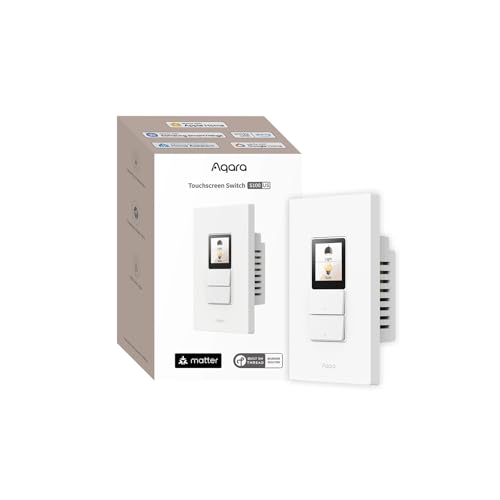
Aqara · Amazon US
Aqara Touchscreen Switch S100 US — exact variant unverified
Selected listing: B0FMR9KBZX
View this model on AmazonSources and method
Based on the manufacturer documentation linked below. Features, app requirements and optional services can change. Check the exact model and package before purchase.