
Other products mentioned in this guide
A shared smart scale creates two separate questions: how it takes a measurement and where that measurement is saved. Household convenience depends on both. An automatic user feature can reduce routine work, but it should not make you stop checking that the record belongs to the person who used the scale.
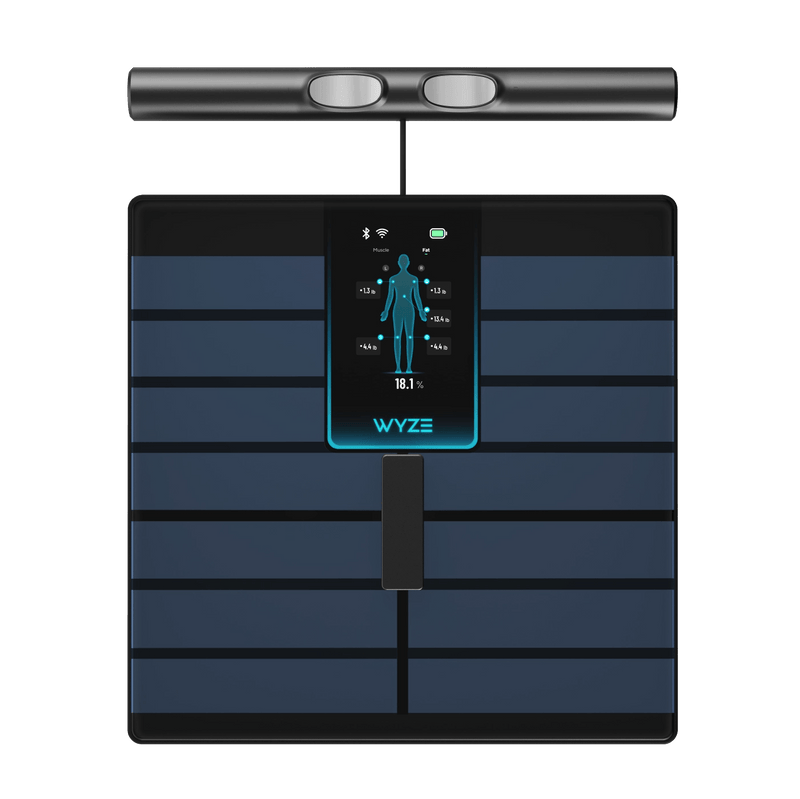
Wyze Scale BodyScan is the documented example in this guide. Our analysis concerns setup and record ownership. It does not evaluate measurement accuracy, diagnose health changes or establish that a consumer estimate is suitable for clinical decisions.
Decide what each person wants to keep
Start with the household's intended use. One person may want a long-term app history, another may want an occasional weight reading, and a guest may not want any continuing profile. Those are different data needs even when everyone uses the same physical device.
Wyze's BodyScan introduction documents eight automatically recognized users and guest measurements. That capacity is a useful specification, not a promise that every real household measurement will always be attributed correctly. We have not tested recognition between people with similar measurements.
Agree on whether each person uses a named profile, which phone manages it and what should happen after guest use. Avoid assuming that a household member's consent to use the scale also means consent to share a full record through someone else's account.
Establish the pairing and profile routine
The setup guide uses the Wyze app and a Bluetooth pairing process. The base BodyScan does not inherit the Ultra model's Wi-Fi arrangement. Check the exact device selected in the app and complete the current model-specific profile instructions.
Choose a hard, flat measurement location and keep the intended user's details current in the appropriate profile. A scale moved frequently between surfaces creates a different practical routine from a device with an established place. Follow the manufacturer instructions rather than improvising settings to force a preferred result.
This guide does not assume that all household users should share an account password. Review the supported account and profile arrangements and use the documented method that fits your household. Where sharing behavior is unclear, resolve it before collecting a history you later need to untangle.
Review assignments before trusting a trend
After an initial measurement, inspect the destination profile and the timestamp. Our suggested routine is to review the first records from each person and any unusual guest session. The purpose is record ownership, not judging whether a body-composition value looks desirable.
If a record appears under the wrong person, consult current app instructions for the supported correction or deletion method. We have not verified every edit, reassignment or synchronization behavior, so this article does not promise that changing one view will automatically repair all external copies.
Be cautious about assuming an apparent sudden change is a meaningful personal trend. First confirm that the record belongs to you and was collected under the intended setup. A consumer app chart does not establish a diagnosis or explain the cause of a change.
Keep external records separate
Wyze lists connections to supported health platforms, but a transfer creates another data location with its own permissions and deletion behavior. Decide whether you need that connection before enabling it. More destinations can make a routine convenient while also creating more places to review a mistaken assignment.
Use fictional or clearly marked examples if you document your household setup. Do not put another person's actual measurements in a shared troubleshooting note without their agreement. This is a practical privacy choice, not a claim about the scale's security architecture.
The product's explicit no-subscription statement supports basic tracking without a required plan. It does not settle every external platform's optional services. A successful shared-scale choice is one where profiles, guest use and correction responsibilities are clear; automatic recognition remains a helpful feature within that routine.
Check the exact listing
These affiliate links may earn us a commission. Confirm the model, package, current price, stock and compatibility on the retailer page. A listed product is not a promise that every feature or accessory is included.

Wyze · Amazon US
Wyze Scale BodyScan — Black listing
Selected listing: B0GYF5PST1
View this model on AmazonSources and method
Based on the manufacturer documentation linked below. Features, app requirements and optional services can change. Check the exact model and package before purchase.