
Other products mentioned in this guide
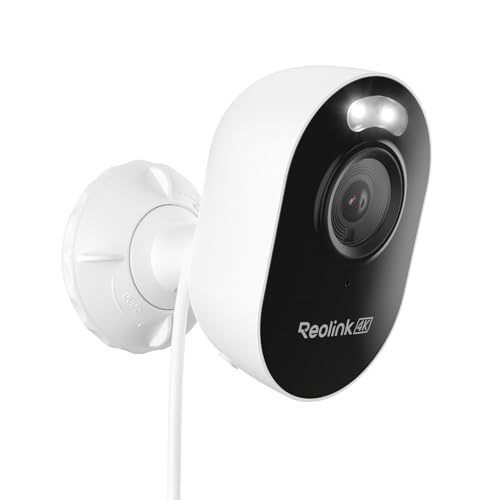
The CX820 and Lumus Pro can both support local recording, but they start with different installation assumptions. The CX820 uses a wired Ethernet network, with a documented PoE power option. The Lumus Pro uses Wi-Fi and a nearby power supply. Choose the connection you can install and maintain before comparing camera specifications.
For many households this is a practical building question. An accessible outlet with reliable Wi-Fi may favour one approach; a feasible Ethernet route to the camera may favour the other. This comparison is based on Reolink documentation, not measured wireless performance or night-video testing.
Two complete connection designs
The CX820 specifications describe 802.3af 48 V PoE and an alternative 12 V DC supply, with an Ethernet connection. PoE can carry power and network traffic on the installed cable. You still need a suitable PoE source and a workable route from the network equipment to the camera.
The Lumus Pro page describes a 5 V, 1 A power supply and 2.4/5 GHz Wi-Fi. This avoids an Ethernet route to the camera, but it does not remove the power requirement. It is not a battery or solar camera that can be mounted anywhere without nearby equipment.
Map the entire route on paper. For PoE, include cable entry, the source port and the camera mounting position. For Wi-Fi, include the outlet, supply placement and network coverage at the actual mounting point. Indoor router performance is not evidence of reliable coverage beyond an exterior wall.
Local storage does not require the same purchase as an NVR
Both current product pages describe microSD storage up to 512 GB and additional storage-system options. A supported card route can make a single-camera setup simpler than starting with a recorder. A broader system may justify an NVR or other supported destination, but compatibility should be checked for the exact model and firmware.
Decide where footage needs to survive. Storage inside a camera is useful for ordinary review, but it creates a different failure point from storing footage elsewhere. Do not assume that a camera's card and an NVR automatically record redundant copies; the intended recording configuration must support that arrangement.
Then decide how you will save important footage. A local rolling history is not a permanent incident archive. Remote storage is a system choice, not a feature you get merely by buying a higher-capacity card.
Recording and detection are separate requirements
The documented continuously powered recording routes are useful when you need activity between detection events. Free person, vehicle and animal detection on the product pages concerns recognition and alerts. Those functions should not be confused with the existence of a continuous timeline or with tested recognition accuracy.
For an installation watching a fixed entry, determine whether alerts or later video review are more important. For an area with frequent activity, consider how you will search and preserve footage. Camera placement and the useful portion of the scene can matter more than the longest feature list.
Avoid borrowing ecosystem promises
Treat voice-assistant and newly announced integration features cautiously. Product pages can list a feature as forthcoming or give different availability signals in different sections. This comparison does not use those promises as a reason to choose either model.
The CX820's colour-oriented low-light design also does not establish measured results at your property. Compare the manufacturer's lighting conditions with the scene you intend to cover; do not infer that a completely dark location will produce the same result as a lit driveway.
A useful buying rule
Shortlist the CX820 when a wired network route and suitable power source fit the building, and you want that complete recording design. Shortlist the Lumus Pro when an outlet and usable Wi-Fi are the simpler installation.
Budget the required cable or supply, card or recorder, mounting and any professional work together. A bare-camera price hides the most meaningful difference between these two options.
Check the exact listing
These affiliate links may earn us a commission. Confirm the model, package, current price, stock and compatibility on the retailer page. A listed product is not a promise that every feature or accessory is included.
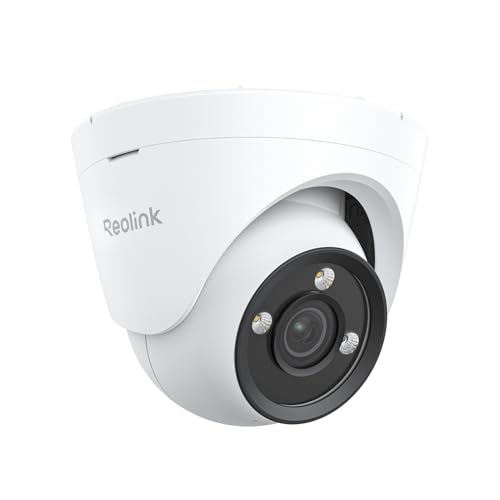
Reolink · Amazon US
Reolink CX820 PoE Camera
Selected listing: B0DQ8QHQBX
View this model on AmazonReolink · Amazon US
Reolink Lumus Pro Camera
Selected listing: B0DCZGNQXB
View this model on AmazonSources and method
Based on the manufacturer documentation linked below. Features, app requirements and optional services can change. Check the exact model and package before purchase.