
Other products mentioned in this guide

The Aqara Camera G100 is a useful choice when local video history and person alerts cover your main needs. It can record without making an advanced cloud AI plan the centre of the setup. The important limit is that its subscription-free person detection should not be confused with the broader list of objects and faces recognized by the optional HomeGuardian service.
Establish the local recording route first
The US specifications identify the standard G100 as CH-C08E and list a microSD card of up to 512 GB, sold separately. The camera requires 5 V, 1 A power and a 2.4 GHz Wi-Fi connection. Aqara's US product description confirms continuous local recording and footage review, plus NAS backup.
For a basic setup, plan for the camera, a compatible card and a suitable power supply. The manufacturer's packaging list includes a power cable but does not list an adapter, so check the exact offer before assuming you have everything needed to power it. Verify that the offer is for the standard G100 rather than silently importing the G100 Select configuration.
The Wi-Fi and camera-side storage route does not call for buying a separate Aqara hub. That makes the G100 approachable as a single-camera purchase. If you later want broader home automation, treat the requirements of those other devices as a separate system decision rather than adding a hub to this camera's basic budget by default.
Match the free AI to the actual job
Aqara explicitly separates the two AI layers: on-device person detection needs no subscription, while HomeGuardian adds cloud-based face, vehicle, pet and package detection. The free route therefore works best when the alert you want is that a person has appeared. Local and cloud detection
Start by writing down the alert that would change your behaviour. “Someone entered the room” and “a package was left outside” are different requirements. If person detection answers the question, the local setup may be sufficient. If you specifically need package or pet classifications, do not buy on the assumption that the entire advertised AI list is free.
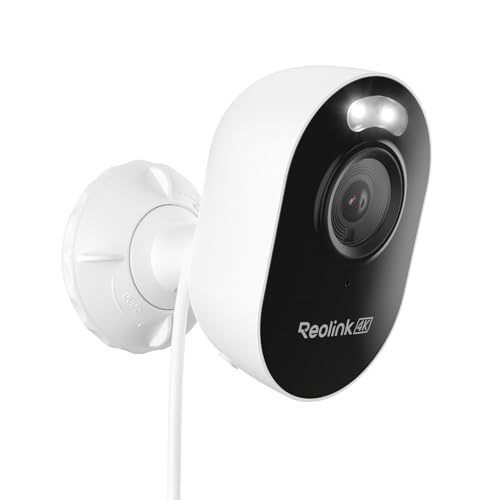
The Reolink Lumus Pro is a relevant comparison when subscription-free vehicle or animal classification matters more than the G100's ecosystem fit. Reolink explicitly lists those categories without monthly fees. That does not establish which camera detects more accurately; it establishes a difference in the documented feature and payment boundaries.
Local storage and cloud services are separate choices
Aqara describes optional cloud storage and a HomeGuardian trial. A trial should not become the foundation of a no-subscription purchase: decide whether the setup still serves you after temporary enhanced features disappear. We do not assign an unlimited free-cloud allowance or a permanent retention promise from the wording on the product page.
HomeKit Secure Video is also a separate route from recording to the camera's card. Aqara lists it at up to 1080p. Before buying for that ecosystem, check its current account and home configuration requirements; its availability does not mean that the G100's local recording requires a cloud plan. Platform and storage options
RTSP support makes the G100 relevant to an existing local video setup using compatible software. That can add flexibility, but it also introduces configuration and maintenance work. Choose this route because you already need it, rather than assuming a named software integration is as simple as using the manufacturer's app.
Where the G100 fits best
The clearest fit is a powered location with reliable 2.4 GHz Wi-Fi, where person alerts and a local video timeline answer the household's main question. It is less suitable if the intended spot has no practical power source or if you require all of its advanced AI categories without a plan.
Before deciding, compare the entire configuration: camera, card, power supply, mounting arrangement and any optional storage destination. Also plan to export important footage before it is overwritten. This assessment is based on manufacturer documentation; it does not claim hands-on detection, night-vision or connectivity testing.
Check the exact listing
These affiliate links may earn us a commission. Confirm the model, package, current price, stock and compatibility on the retailer page. A listed product is not a promise that every feature or accessory is included.
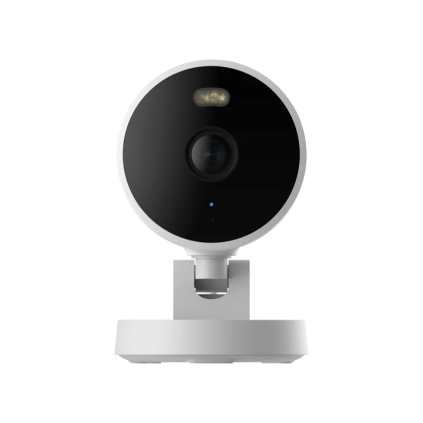
Aqara · Amazon US
Aqara Camera G100 — Black listing
Selected listing: B0HCNJ6GM3
View this model on AmazonSources and method
Based on the manufacturer documentation linked below. Features, app requirements and optional services can change. Check the exact model and package before purchase.