
A CX820 installation starts with a network route, not with a monthly recording plan. The camera's documented PoE option can combine power and Ethernet on the installed cable, while local microSD recording can be a separate storage choice. Plan those layers separately so that the required equipment is clear.
This guide organizes an installation decision. We have not tested cable lengths, network throughput, recorder compatibility or night performance at a property.
Draw the network path before buying
The CX820 specifications list 802.3af 48 V PoE and an alternative 12 V DC supply with Ethernet. A compatible PoE source supplies the documented power arrangement. A device merely labelled as a network switch does not establish that it supplies PoE or supports the required standard.
Sketch the route from the camera to the network equipment. Include how the cable enters the building, where equipment can be powered and how the route will be serviced. If the route crosses finished spaces or requires exterior work, include that work in the installation budget.
The alternative DC supply still needs the network connection. It should not be interpreted as converting the CX820 into a Wi-Fi camera. Choose it only as a documented power alternative within the wired-network design.
Choose the first recording destination
The product page documents a microSD route up to 512 GB and compatible storage-system options. That means an NVR is not automatically the first purchase for a single camera. A card may meet an ordinary local-review task, provided it fits the manufacturer's requirements and your maintenance plan.
A recorder may make more sense for several cameras, centralized management or a different storage location. Compatibility must be checked for the exact recorder, camera and intended features. Do not infer support solely from brand names or assume that two supported destinations automatically create redundant recordings.
Decide what you are trying to protect against. A card inside the camera and a recorder elsewhere create different failure points. Equipment location, power and storage behavior are part of that decision, even when no recording subscription is needed.
Separate recording from finding an event
The documented recording modes and person, vehicle or animal detection are different parts of the workflow. Continuous history provides a timeline. Detection can help identify or notify you about supported event categories. Neither statement is evidence of measured recognition accuracy in your intended scene.
Consider how you will locate footage after a busy day. A wide scene with frequent motion may create a different review workload from a quiet entrance. Useful positioning and a manageable search routine are practical requirements, not secondary details after buying storage.
Include maintenance and preservation
Make sure the camera, connectors and selected storage can be serviced appropriately. Keep the model and recording configuration documented. If a card is used, plan checks and replacement according to the manufacturer's guidance rather than assuming that a supported maximum capacity implies indefinite reliability.
Determine how an important clip will be exported or preserved. A rolling history is temporary storage. The desired retention interval, incident-review delay and destination for a saved clip should be chosen before an actual event makes them urgent.
Avoid turning advertised low-light characteristics into a promise about your installation. The scene's available light and the manufacturer's stated conditions matter; we do not claim a tested colour image in total darkness.
The complete equipment list
Write down the camera, compatible power source, Ethernet cable and installation work, chosen recording destination and any necessary mounting items. Add a recorder only when its role is clear. Add a separate supply only when it fits the documented alternative power arrangement.
That list allows a useful comparison with an outlet-powered Wi-Fi camera. The right design is the one the building supports and the household can maintain, rather than whichever bare camera has the lower advertised price.
Check the exact listing
These affiliate links may earn us a commission. Confirm the model, package, current price, stock and compatibility on the retailer page. A listed product is not a promise that every feature or accessory is included.
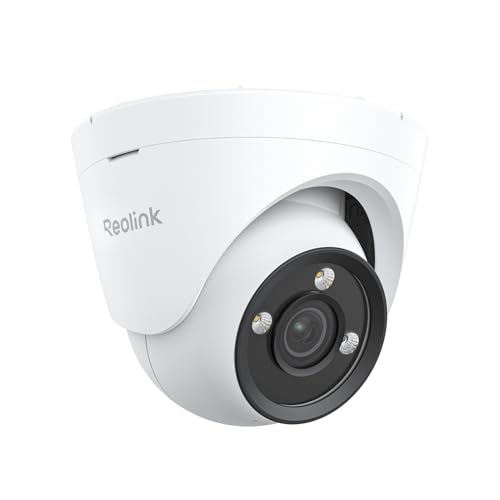
Reolink · Amazon US
Reolink CX820 PoE Camera
Selected listing: B0DQ8QHQBX
View this model on AmazonSources and method
Based on the manufacturer documentation linked below. Features, app requirements and optional services can change. Check the exact model and package before purchase.