
A camera can keep a local recording while remote playback is unavailable. That is not a contradiction: recording, locating the camera and reaching it from outside the home are different operations. When planning an outage routine, identify which connection failed and what access you still need.
This guide uses official Reolink PoE and Tapo support documentation. It does not claim that every camera, hub or app behaves identically, and we have not conducted an outage test. Use the documented arrangement for the exact model before depending on a particular recovery route.
Begin with the failure you mean
An internet-service interruption can leave the local router, switch and camera powered. A router failure can remove the local communication path even if the internet service itself is available. A power failure can stop the camera or the storage hardware entirely.
Write those as separate cases. Then identify the equipment needed to record, to view within the property and to view from elsewhere. A battery in one camera does not keep a mains-powered router or recorder alive, and a local card does not restore an unavailable network.
The CX820 product page documents wired networking and power options. For such a setup, trace the cable, power source and any switch or recorder rather than treating PoE as a complete outage solution. Backup-power duration and performance have not been established by this research.
Keep local playback distinct from off-site access
Reolink's PoE support guide distinguishes local-network viewing and recording from remote access and notifications without internet. Its described local capabilities do not mean a phone away from the property can retrieve the same footage during that interruption.
A direct recorder-and-monitor arrangement is also different from app access through a network. Identify the route you plan to use. Do not assume that connecting a display to a recorder establishes phone access, or that possessing a saved clip establishes an internet-free way to reach it from another city.
For a purchase, the relevant question is whether local access at the property meets your needs until connectivity returns. If off-site viewing is essential during an interruption, resolve that dependency separately; this article does not invent a cellular backup or guarantee automatic failover.
Check the app and storage conditions
Tapo's general FAQ describes continued local recording after setup and local-network viewing under its stated conditions, while notifications and cloud services need internet. That is useful guidance, not proof that every battery-camera mode or hub arrangement has identical behavior.
Review the exact model and supported storage route. A powered card-recording camera, a battery event camera and a separate hub present different dependencies. We have not independently verified every app login, reconnection or remote replay condition.
Keep setup requirements separate too. A system needing internet for initial configuration should not be described as entirely independent of internet simply because a later local operation is supported. Complete configuration under the documented conditions before relying on an outage route.
Export what you need to keep
Tapo's download guide distinguishes recorded footage from a downloaded copy on the phone. A completed download provides a different access route from replaying a card or cloud clip through the app. Verify that the file exists and can be opened before considering an important clip preserved.
An exported file does not create new recordings after the camera loses power, recover overwritten footage or fix a failing card. Decide which clips need preserving and store them through an appropriate supported method before routine retention removes them.
Choose a system with dependencies you can explain: what records locally, what allows local playback and what enables access from outside. That plan is more useful than a single offline label, while exact outage behavior and recovery remain matters for model-specific documentation and careful validation.
Check the exact listing
These affiliate links may earn us a commission. Confirm the model, package, current price, stock and compatibility on the retailer page. A listed product is not a promise that every feature or accessory is included.
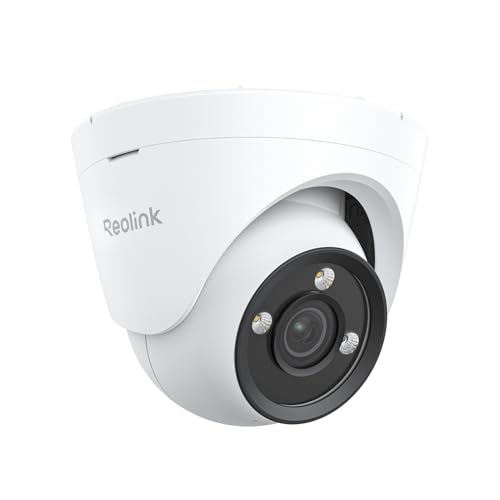
Reolink · Amazon US
Reolink CX820 PoE Camera
Selected listing: B0DQ8QHQBX
View this model on AmazonSources and method
Based on the manufacturer documentation linked below. Features, app requirements and optional services can change. Check the exact model and package before purchase.