
Other products mentioned in this guide

An indoor camera can help you revisit a pet's ordinary activity, but the purchase should be built around the question you want to answer. Do you want to look in briefly, review a particular period or receive an alert about movement? Those tasks have different placement, recording and service requirements.
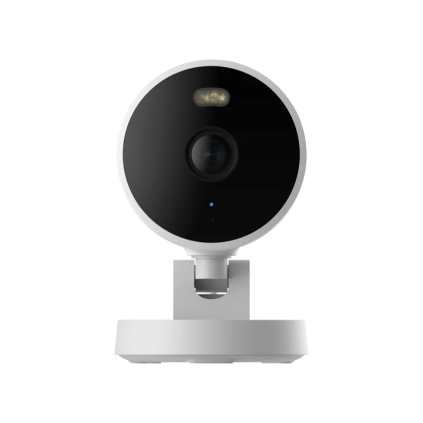
This guide uses Aqara Camera G100 as a fixed-location viewing example. It is not a pet-safety system, veterinary monitor or tested behavior-analysis tool. A camera feed cannot establish that an animal is healthy or that every important event will be captured.
Frame the areas the pet actually uses
Sketch the resting place, feeding area and route between them. Choose which area matters most before placing the camera. A single fixed view may not show a pet that moves behind furniture or into another room, even if the picture is otherwise clear.
The G100 documentation describes a plug-in Wi-Fi camera with local recording. Our suggested placement routine is to inspect its proposed view while considering normal furniture positions, open doors and changing daylight. We have not measured coverage or low-light performance in an occupied room.
Keep the cable and device out of the pet's normal reach and leave access for maintenance. Follow the manufacturer's placement instructions rather than treating a small shelf or temporary stack of objects as a permanent mount. For a shared home, agree on the areas being recorded and the periods when recording is appropriate.
Separate viewing from pet-specific alerts
G100 documents on-device person detection without a subscription. The US product information places more advanced cloud analysis, including pet-related AI, in the HomeGuardian service route. We do not therefore label every pet alert as a free local feature.
If your primary task is checking a sleeping place, live viewing or ordinary retained footage may answer it without pet recognition. If you specifically need a pet-classified alert, confirm the supported plan, feature and region. Current account-specific plan prices and real-world alert reliability remain unverified.
Set expectations about what an alert means. A detected event is a prompt to inspect available footage, not a guarantee that the system recognizes every behavior or distinguishes an urgent situation. We have not tested detection success or false-alert rates.
Decide what footage you want to revisit
The documented standalone route uses a compatible microSD card, with continuous local recording available. The card is an additional purchase, and the official hardware guidance specifies its requirements. Check that recording is enabled and that you can find a known period after setup.
Retention depends on the selected configuration and the volume of video. A storage-capacity maximum does not establish a guaranteed number of days in your room. If a particular event matters, download it before loop recording replaces older footage. Decide who may access the app and avoid using a shared account casually for private household footage.
A separate Aqara hub is not needed for this Wi-Fi/card arrangement. That does not mean all integrations, remote access or cloud services work without other equipment. Check the actual route you intend to use rather than importing features from another Aqara camera or a hub description.
Check the complete power and package arrangement
G100 specifies a 5 V/1 A supply, and the inspected manufacturer box list does not include a power adapter. Verify your exact retailer package and a suitable supply. Our candidate title is consistent with G100, but exact ASIN-to-configuration mapping remains unverified; G100 Select is a separate configuration.
Shortlist this model when a fixed view and local review answer your everyday question. Seek additional evidence if your goal depends on reliable pet classification or whole-room tracking. This is manufacturer-documentation research, with no hands-on recording, animal-health or security-performance conclusion.
Check the exact listing
These affiliate links may earn us a commission. Confirm the model, package, current price, stock and compatibility on the retailer page. A listed product is not a promise that every feature or accessory is included.
Aqara · Amazon US
Aqara Camera G100 — Black listing
Selected listing: B0HCNJ6GM3
View this model on AmazonSources and method
Based on the manufacturer documentation linked below. Features, app requirements and optional services can change. Check the exact model and package before purchase.