
Other products mentioned in this guide


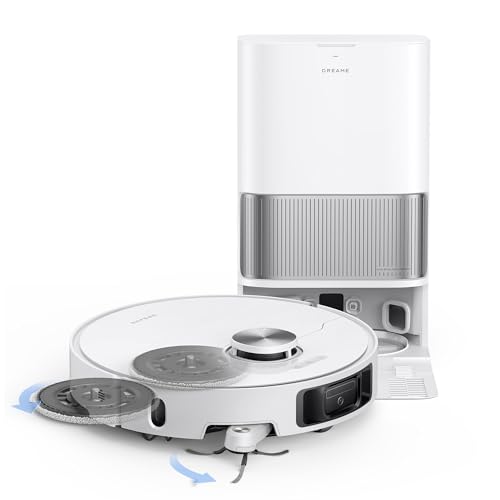
A robot that vacuums and mops still needs a deliberate plan for rugs. Lifting a wet mop, leaving mop pads at a station and avoiding an area are different mechanisms. None establishes that every rug will stay dry or that fringe will be handled safely. This guide uses official documentation for Freo X10 Pro, Dreame L40s Ultra and Q7 L5; it is not a moisture, carpet-pickup or snagging test.
Start with the floor's requirements
List rug materials, pile height, loose edges and any manufacturer restrictions on moisture. Pay attention to small mats near a station or doorway: the robot may cross them to reach another room even when they are not the intended cleaning area.
If moisture would damage a rug, plan a route that prevents wet attachments from reaching it. Do not treat an advertised lift height as a measured safe clearance above your particular pile. Uneven floors, edges and compression affect the actual gap.
What lifting can and cannot establish
The Freo X10 Pro US page describes lifting its twin mops around carpet and provides app exclusion tools. That is a useful product-design distinction. It does not prove dry passage over thick, shaggy, folded or unsecured rugs.
Use the model's supported settings, verify the route and inspect the rug during initial supervised runs. Do not infer that an advertised carpet response detects every unusual surface or that it protects loose fringe from other moving parts.
Our X10 Pro research confirms app maps and scheduling but leaves some fine hardware and station details unresolved. Those gaps should not be filled with features from similarly named Narwal models.
Detachment changes the physical cleaning setup
The plain L40s Ultra US manual documents vacuum-only operation with automatic mop detachment. This removes the pads from the robot for a supported mode rather than merely raising them during travel.
Check the app configuration and station workflow before choosing that mode. The plain L40s Ultra should not be silently substituted with L40s Ultra AE or CE, whose hardware and dock specifications may differ. Detaching pads also does not remove the need to prepare loose edges, cords or objects that can snag.
Its station washes and dries the pads for wet cleaning elsewhere. The household therefore needs a routine that considers both vacuum-only rug sessions and subsequent hard-floor mopping, plus water tanks and pad maintenance.
A manual mop needs a manual plan
The Q7 L5 US documentation describes adjustable water flow and removable cloth hardware. This research does not establish automatic lifting or station detachment for it.
Use a supported vacuum-only setup where wet cleaning is inappropriate. Manage the cloth and water manually, follow the supplied instructions and plan exclusions before an unattended session. A basic charging dock does not wash or dry the cloth afterward.
This can be a workable arrangement when the owner is comfortable configuring separate sessions. It is less convenient when the cleaning route repeatedly alternates between moisture-sensitive rugs and hard floors requiring mopping.
Maps are a tool, not a replacement for checking
After moving a rug or changing a floor plan, review exclusions and the route. A saved boundary can be useful, but it is not independent proof of positioning accuracy in your home. Begin with supervised operation and inspect both rug condition and attachments.
The checked official instructions and model pages present their documented mapping and cleaning controls without a paid-plan activation step. We infer those core functions are included with the product; no all-AI-free or fully offline promise follows. Confirm network compatibility separately, particularly X10 Pro's unresolved exact radio requirement.
Choose between lifting, detachment and manual preparation according to your floor's tolerance and your willingness to manage sessions. Confirm the precise model, dock and supplied mop parts before ordering. An exclusion-first plan is more informative than an untested claim that a particular robot is universally safe for rugs.
Check the exact listing
These affiliate links may earn us a commission. Confirm the model, package, current price, stock and compatibility on the retailer page. A listed product is not a promise that every feature or accessory is included.
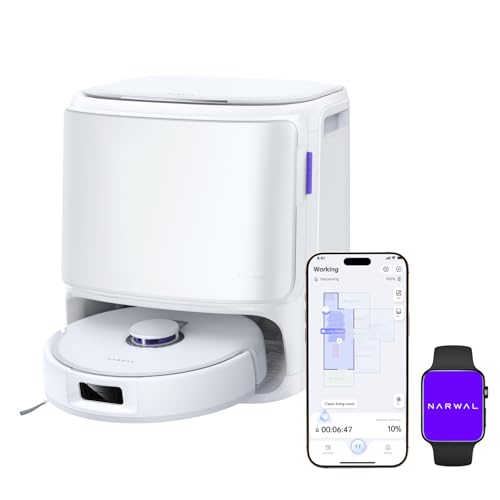
Narwal · Amazon US
Narwal Freo X10 Pro — White listing
Selected listing: B0FL6PWX3F
View this model on AmazonSources and method
Based on the manufacturer documentation linked below. Features, app requirements and optional services can change. Check the exact model and package before purchase.