
Other products mentioned in this guide


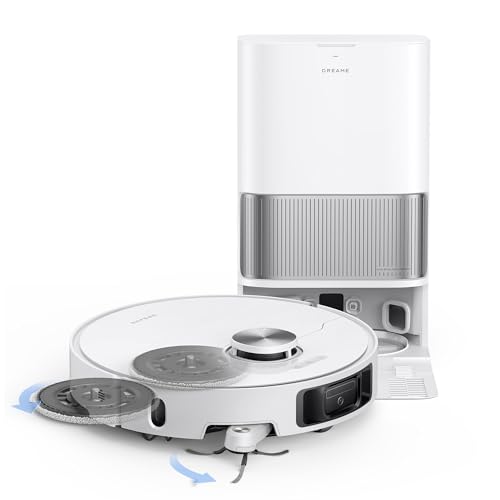
A robot station should be placed where both the machine and its owner can use it. Power and an empty patch of floor are only the beginning: the robot needs an approach, the owner needs access to service parts, and app setup needs compatible connectivity. This guide uses official instructions for Qrevo CurvX, Q7 L5 and plain Dreame L40s Ultra. It is a planning guide, not a tested installation or a substitute for the supplied manual.
Distinguish footprint from placement space
The CurvX FCC manual specifies a placement area at least 0.9m high, 0.46m wide and 1.2m deep. Treat those figures as model-specific placement guidance. The dock's external dimensions alone do not show the space required for its approach and operation.
The manual calls for a hard, flat floor and an appropriate unobstructed position. It warns against unsuitable locations such as carpeting, narrow spaces and conditions that interfere with the docking beacon, including direct sunlight. Check the instructions for the exact hardware delivered to you; do not reuse these dimensions as universal rules for Q7 L5 or Dreame stations.
Measure the intended location and trace the robot's path from adjacent rooms. A doorway, furniture leg or loose mat can interfere with the approach even when the station itself fits.
Reserve access for the person servicing it
CurvX's station handles dust collection, mop washing and drying and robot-water refilling. The owner still removes and refills water tanks, disposes of dirty water, changes bags and cleans the wash area. Keep enough access to perform those tasks without moving heavy furniture every time.
The plain L40s Ultra manual likewise explains clean-water, dirty-water, bag, wash-area and consumable care. Confirm its own placement instructions rather than borrowing the CurvX numbers. Plain L40s Ultra is not automatically interchangeable with the AE or CE variants.
A low cabinet may conceal the station while preventing tank removal or ventilation specified by the manufacturer. Plan from the complete service routine. The minimum height of the robot has little bearing on a tank's upward removal path.
Keep power, water and routing deliberate
Use the supplied and specified US power equipment, route the cord as directed and keep it away from the cleaning path. Do not modify a cable or use an unverified regional adapter to force a package into your location.
Tank stations are not proof of a plumbed installation. They need a practical route for carrying water to and from the station. Consider where drips would be noticed and cleaned, and follow the manufacturer's requirements for the floor and surroundings.
The Q7 L5 manual describes a simpler charging dock and manual mop care. That can reduce station complexity, but the owner must empty the robot bin and handle the cloth and water directly. Different dock hardware changes which space and maintenance tasks you need to plan.
Check the network at the dock
The checked manuals specify 2.4GHz Wi-Fi for pairing. Verify the compatible band, phone and network settings at the actual station position. Internet coverage somewhere else in the room does not establish a successful connection behind a cabinet.
Official instructions present core app pairing, cleaning and schedules without paid-plan activation. We infer the documented functions are included with the equipment; advanced or future services remain a separate question. Physical buttons do not establish complete offline equivalence for remote access, map tools or scheduling.
Complete the check before ordering
Record the exact model's placement requirements, service access, power route, Wi-Fi compatibility and tank-handling route. Confirm the matching station and initial supplies in the actual package: our affiliate catalog titles are not manufacturer proof of every ASIN's contents.
After delivery, follow the supplied instructions and supervise initial mapping and docking. A station location should be judged by reliable access and maintainable operation, rather than how neatly the equipment can be hidden in a photograph.
Check the exact listing
These affiliate links may earn us a commission. Confirm the model, package, current price, stock and compatibility on the retailer page. A listed product is not a promise that every feature or accessory is included.

Roborock · Amazon US
Roborock Qrevo CurvX
Selected listing: B0DX1DQKMD
View this model on AmazonSources and method
Based on the manufacturer documentation linked below. Features, app requirements and optional services can change. Check the exact model and package before purchase.